
Gym check-in software that knows who’s allowed in
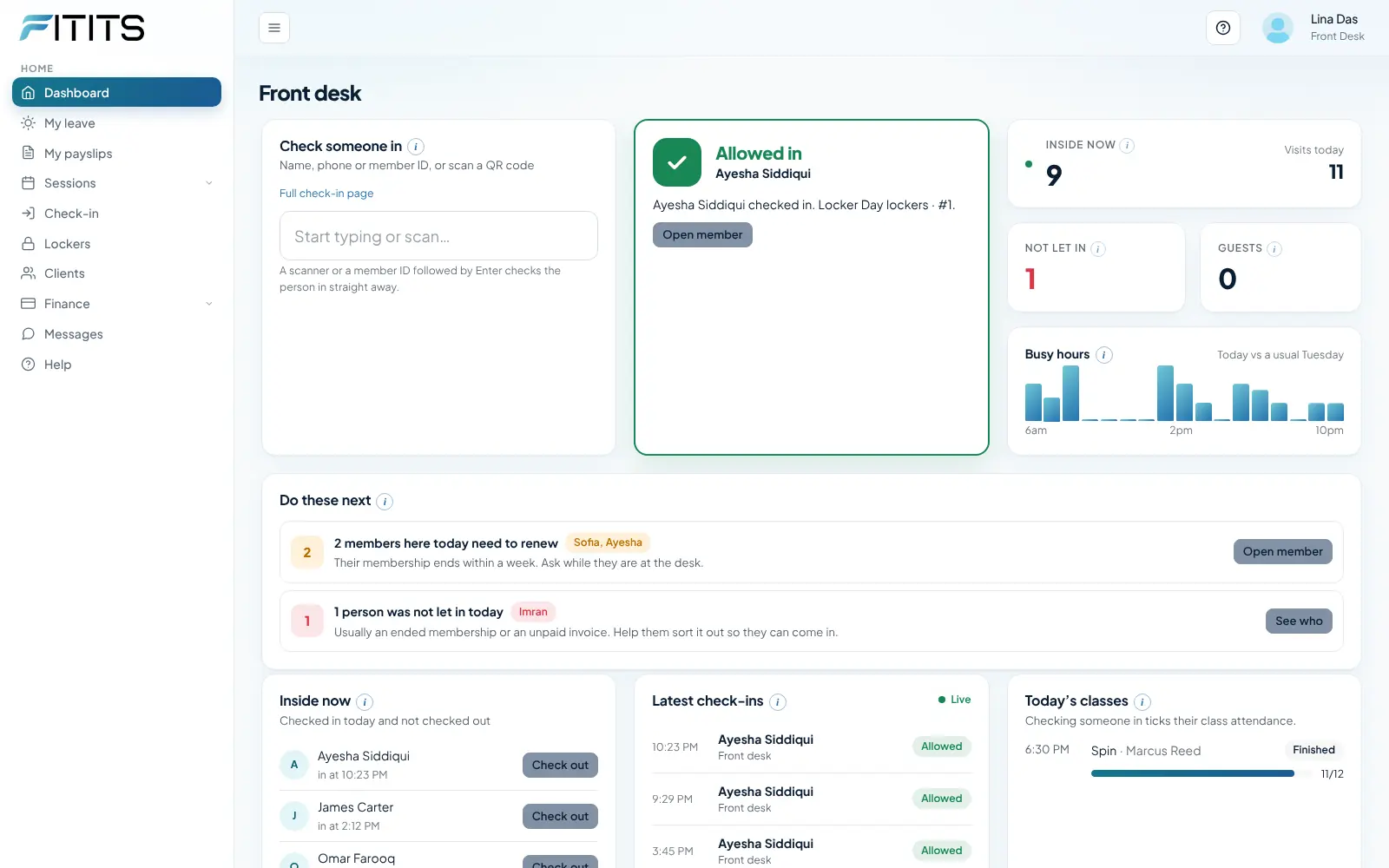
Members show a QR code on their phone, the desk searches by name, or a door terminal scans their face. FitIts checks the membership in a second and logs the visit.
How it works
Choose how people check in
The desk, a tablet kiosk, or a ZKTeco face or fingerprint terminal.
Decide what happens when a membership has ended
Let them in with a warning, or turn them away with the reason.
Watch it on the dashboard
Who is inside now, visits today, and attendance over time.
Members check themselves in, and expired ones are stopped at the door
Every member has a QR code on their phone that changes every 30 seconds, so a screenshot won’t work. Scan it at the desk, on a tablet kiosk, or connect a door terminal.
- Front desk search by name, phone or member ID
- Expired memberships are flagged or turned away (you choose), with the reason
- Who is inside right now, visits today, guests and day passes
- Works with ZKTeco face and fingerprint terminals
Gym check-in questions
How do members check in?
Members show the QR code on their phone at the desk or a tablet kiosk, or use a ZKTeco face or fingerprint terminal. FitIts checks the membership straight away and shows Allowed in or Not allowed in, with the reason.
Can a screenshot of the QR code be used to get in?
No. Each member’s code changes every 30 seconds, so a photo or screenshot stops working almost at once.
Can trainers see all my members?
No. Trainers see only the clients assigned to them, doctors only their assigned clients, and the front desk sees no money unless you allow it.
Can I manage lockers?
Yes. There’s a locker map, rentals with invoices and deposits, and a reminder before a rental ends.
Works well with
Membership management
Every member, their membership and their history in one place. FitIts sees whose membership is ending and sends the reminder for you.
Class booking
Put HIIT, spin or yoga on a weekly timetable once. Members book a place, the waitlist fills any place that frees up, and you see who came.
Staff and payroll
Give each person a role so they see only their part. Payroll works out salaries, hourly pay from check-ins and pay per session, then records the expense.
Try it with your own business
Every feature, free for 14 days. No card needed.